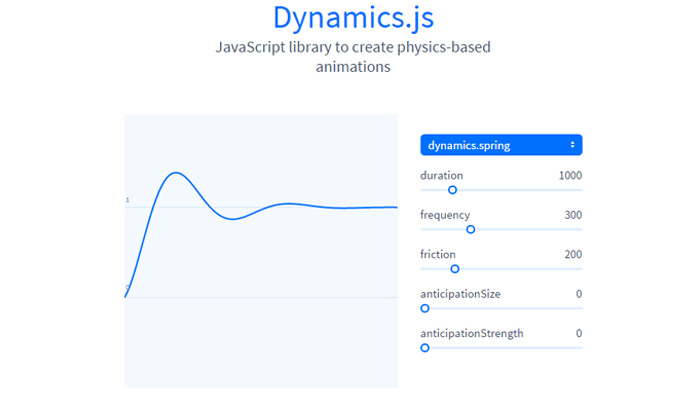
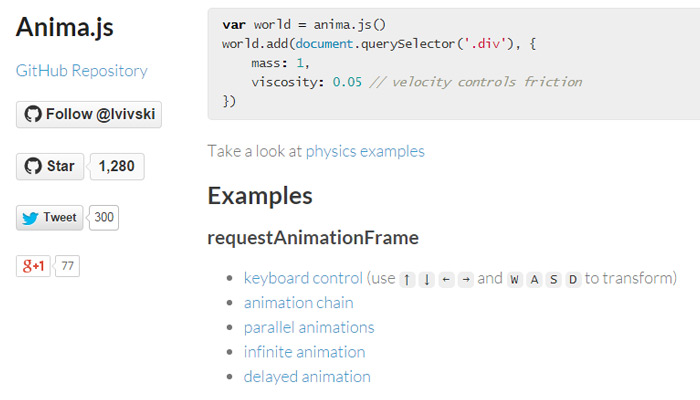
From SVG to CSS3 and modern jQuery, website animation is here to stay. What was once considered an excruciating task has now become more forthright and easier to manage than ever before.
Developers also love to share their work and improve the quality of websites across the globe. These particular libraries focus on animating dropdown menus, sliding elements, parallax content and even typography. Best of all these are 100% open source and free to use on as many projects as you see fit.
Module 2.1 SimpleBB - a module for creating a full-fledged online site running CMS DataLife Engine 10.3. The main difference between the module from the engine now that the module uses a common database of users and is tightly integrated with the engine DLE.
The module is designed for offline SimpleBB dle simplebb Default theme is ready for use. Module with lateral threads have been made several improvements. Topics icons used in the library is used to fontaweso, library integrated into the file CSS. For this reason, download and install the module from the page GitHub will be beneficial to you.
You have the flexibility to design a theme and in order to be able to easily integrate into their own theme with a separate file CSS, we have developed so that you can put the block left or right.
10.6 adaptations have been made and some parts have been rewritten. Selected story and a complete set of templates has been made for the category admin panel. Forums were made necessary amendments to the end of the last extension. Moderation for approval has been made to correct the error. To appear in the Subject Content error has been corrected. Adding to the form sub-forum was held TPL file. After adding back the transaction at issue was set to go to the link to the forum. The style has been agreed and fixed several minor bugs.
What's new SimpleBB 2.1 of 10/13/2015: - 10.5 and 10.6 have been adapted and rewritten some details. - Source language file was passed to use. - System Settings Admin panel on the left on the page. - SQL optimization option is the default, and are removed from the admin panel. - Custom template files to display and add comments to a user forum support added. - Editing operations decreased and were made to optimize the code. - Added the ability to see the sub-forums in the category. - Arrangements were made with the default theme.
General comments:
Hierarchy Forums by category and subcategory of the depth is set to 2. 1 category for depth, depth of 2 call the forum. The hierarchy thus: simplebb> Categories> Forums> Topics The theme of the template file with the same sequence [Depth = 1], [Depth = 2], [Depth = 3], [depth = 4] were determined. DLA uses a system of categories, which can make all the preparations for.
Operating System We select major categories, one for the forum. This category has sub-categories, which define a special .TPL. Only Homepage /forum/*.tpl files in the theme to use. When you select a category to access the topics of the forum, the forum gathered by the system will be listed instead.
Options: Using subdomains Simplebb supports subdomain. However, the measures were necessary management and SEO. Using the subdomain subdomain included all forums entered into links automatically redirected to a subdomain. Orientation, etc. Errors that may arise in connection with the canonical link has been identified. Thus, each subject in the forum of the canonical metadata will be available.
It is necessary to do additional steps: Htaccess file, you must add the code (for example, use DLE.NET.T. "Forum" was written for the subdomain.)
After that, you must additionally create a subdomain with CPanel.
Stages and not indexed by search engines against the possibility of problems. Dynamic add a subdomain subdomain, rather than just going to use. If this subdomain will use the same name for the category, use the forum.
SQL Optimization Previously, the system was reduced by too many requests. Total is ready to house 2-3 requests. Global variables collect information about categories of aid.
Remove:
Setting up: - You must remove the previous version. (V1.0-beta users only) - Your site before you begin the installation, we recommend that you yedekeleme. - Create categories in order to be used for the forum. - Determined for each information online and enter the custom template files. Please specify exactly the part of the following templates. - If all the categories of the forum and set completely. Now all files are available for download to your site with the installation. - Run for install_module.php installation. XML configuration is done automatically with the system. Thus, all the files belonging to the system and archive files for the original installation / backup / directory is stored. - Immediately after the installation by entering the admin panel "System Settings" are available. - If you use a subdomain found in the description above then activate the "Enable Subdomains" Please read and take the title. - How can you get access to any of the categories on your site / forum you can get. (If you appear at the forum, which URL. - Main.tpl file by opening the plug at the top of your topic, add the following code:
Update (v1.0 => v1.1): * Do not install the unit eliminating the hassle will be your choice. But if you can not put the next step. * All to copy the files, perform a typical installation.
elevator * If you want to install the system to delete / backup directory, open the backup file, which is downloaded to your site enough.
Templates and Tags: Forum is working in total 4 .tpl file. main.tpl, stats.tpl and post.tpl selected for each forum, threads.tpl files.
[forum: main] Forum Homepage [/ forum: main]
[forum: cat] Category page [/ forum: cat]
[forum: forum] Home Forum [/ forum: forum]
[forum: inside] Category page or forum [/ forum: inside]
[forum: thread] page topics in the forum [/ forum: thread]
[forum] on any page of the forum [/ forum]
{forum-stats}          : Forum statistics ( forum/stats.tpl changed from the template )
{category echo="id"}   : the current category ID (show.short page will not work)
{category echo="name"} : The current name of the category (show.short page will not work)
{page-title}           : show.full in the page header ({name}) can be used instead.
{count_all}            : Category pages that are categorized article shows that many
{user-group}           : is a group of people show.full. Panel displays with the specified style.
{avatar}               : show.full pulls the URL in the user's avatar.
{user-group-icon}      : user group icon in show.full.
{forum-cats}           : forum was available in custom subcategories s list
Extensions are used: Application number 163, application number 45, number 41 Appendix addpost.tpl used tags addpost.tpl addnews.tpl image file may be the same, but you need to cancel a category. This template can be used to tag the file, select {cat} is the name of these categories:
Translation: - English / English: DLEStarter - Russian / Russian: mrb4el and Corsair - Ukrainian / Ukrainian: Corsair
Versions: v1.0, DLE 10.2, 10.3 v1.1, DLE 10.2, 10.3 v2.0, DLE 10.5 v2.1, DLE 10.5, 10.6
Version DLE: 10.2-10.5 Developer: Mehmet Hanoglu Design: Kadir Hanoğlu Website: dle.net.tr Languages: English, Russian, Ukrainian License: MIT License
Step 1. Log in to your Blogger Dashboard, select your blog > go to "Layout" and click the "Add a Gadget" link:
Step 2. From the pop-up window, scroll down and click on the "HTML/JavaScript" option:
Step 3. Copy and paste the below code in the HTML/JavaScript box:
<script type="text/javascript"> var a_rc = 5; var m_rc = false; var n_rc = true; var o_rc = 100; function showrecentcomments(e){for(var r=0;r<a_rc;r++){var t,n=e.feed.entry[r];if(r==e.feed.entry.length)break;for(var i=0;i<n.link.length;i++)if("alternate"==n.link[i].rel){t=n.link[i].href;break}t=t.replace("#","#");var a=t.split("#");a=a[0];var c=a.split("/");c=c[5],c=c.split(".html"),c=c[0];var s=c.replace(/-/g," ");s=s.link(a);var o=n.published.$t,l=(o.substring(0,4),o.substring(5,7)),u=o.substring(8,10),m=new Array;if(m[1]="Jan",m[2]="Feb",m[3]="Mar",m[4]="Apr",m[5]="May",m[6]="Jun",m[7]="Jul",m[8]="Aug",m[9]="Sep",m[10]="Oct",m[11]="Nov",m[12]="Dec","content"in n)var d=n.content.$t;else if("summary"in n)var d=n.summary.$t;else var d="";var v=/<S[^>]*>/g;if(d=d.replace(v,""),document.write('<div class="rcw-comments">'),1==m_rc&&document.write("On "+m[parseInt(l,10)]+" "+u+" "),document.write('<span class="author-rc"><a href="'+t+'">'+n.author[0].name.$t+"</a></span> commented"),1==n_rc&&document.write(" on "+s),0==o_rc)document.write("</div>");else if(document.write(": "),d.length<o_rc)document.write("<i>“"),document.write(d),document.write("”</i></div>");else{document.write("<i>“"),d=d.substring(0,o_rc);var w=d.lastIndexOf(" ");d=d.substring(0,w),document.write(d+"…”</i></div>"),document.write("")}}} </script><script src=http://your-site.blogspot.com/feeds/comments/default?alt=json-in-script&callback=showrecentcomments></script><div style="font-size: 10px; float: right;">Get this <a href="http://helplogger.blogspot.com/2012/03/recent-comments-widget-for-blogger.html">Recent Comments Widget</a></div> <style type="text/css"> .rcw-comments a {text-transform: capitalize;} .rcw-comments {border-bottom: 1px dotted;padding: 7px 0;} </style>
Step 4. Replace http://your-site.blogspot.com with your address (pay attention to not have two forward slashed at the end of it).
Other settings: - to change the number of comments that are being displayed, replace the "5" value from a_rc=5; - to add the date on which the comment has been made, change the "false" text from m_rc=false to "true"; - to hide the post titles, change the "true" text from n_rc=true to "false"; - to show more or less comment characters, change the "100" value from o_rc=100